 Joseph Ward
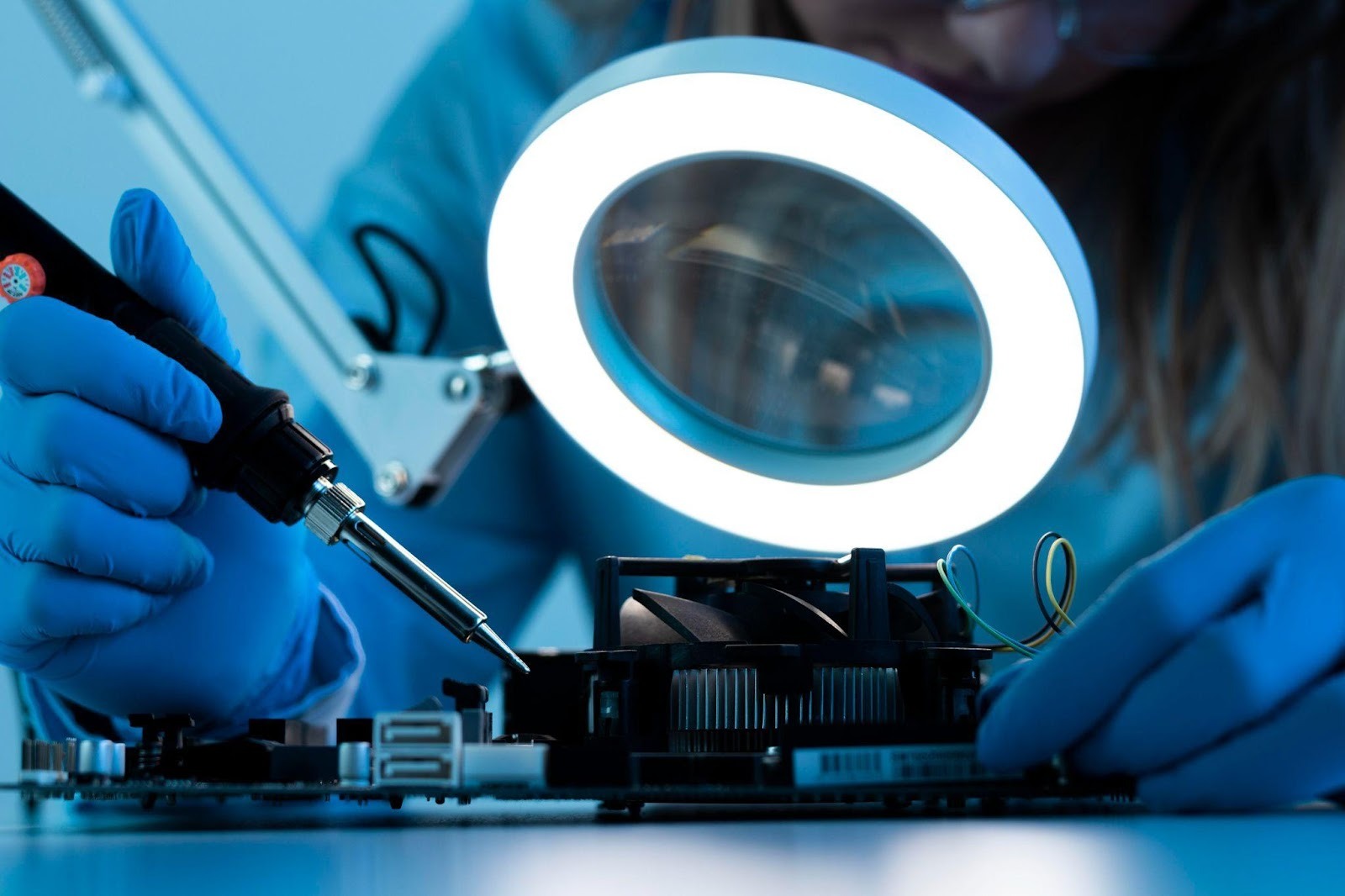
Electronic devices are an integral part of both professional and personal life, powering communication, entertainment, and productivity. When they malfunction, it can disrupt workflows and daily routines. Seeking electronic equipment repair in Auckland ensures that devices are accurately diagnosed and restored to optimal functionality. Skilled technicians combine technical expertise with advanced tools to fix issues efficiently while protecting data and device longevity.
Identifying Common Device Malfunctions
Understanding the signs of device malfunctions helps in early intervention and prevents further damage. Identifying symptoms accurately is the first step toward effective repair.
- Slow or Lagging Performance
Devices may operate sluggishly due to memory overload, outdated firmware, or failing hardware components. Detecting these performance drops early allows technicians to optimize the device and improve speed. - Unexpected Shutdowns
Random shutdowns or restarts can indicate battery degradation, circuit failures, or overheating. Prompt professional intervention ensures stability and prevents permanent hardware damage. - Connectivity Issues
Problems with Wi-Fi, Bluetooth, or cellular connections often arise from damaged antennas, software conflicts, or circuit faults. Early diagnosis helps maintain consistent connectivity for professional and personal use. - Display and Touchscreen Malfunctions
Flickering screens, unresponsive touch inputs, or distorted colors can be caused by display damage or internal connection issues. Skilled technicians assess both the screen and the underlying hardware to restore usability.
Advanced Diagnostics and Assessment
Effective repair begins with precise diagnostics. Experienced technicians evaluate both hardware and software components to pinpoint the source of the malfunction.
- Hardware Evaluation
Each internal component is thoroughly tested, from processors to connectors, to identify wear, damage, or misalignment. Accurate testing ensures that repairs address the root cause rather than temporary symptoms. - Software and Firmware Checks
Malfunctions often result from outdated or corrupted software. Technicians analyze system files and applications, updating firmware or optimizing software settings for seamless device operation. - Component-Level Testing
Devices are assessed for specific component faults such as damaged ports, sensors, or circuits. This detailed inspection helps prevent unnecessary replacements and reduces repair costs. - Tailored Repair Strategy
After diagnostics, a personalized repair plan is developed. This may include cleaning, component repair, or replacement, ensuring the most effective and lasting solution. In many cases, skilled technicians performing electronic equipment repair in Auckland restore full functionality efficiently.
Hardware Repair Techniques
Modern devices require careful handling and precise repair methods to restore functionality without causing additional damage.
- Micro-Soldering Repairs
Small internal components, such as circuit boards or connectors, are repaired with precision soldering tools. This technique allows technicians to fix specific faults without replacing entire assemblies. - Port and Connector Restoration
Damaged charging, audio, or USB ports are repaired or reattached to ensure stable connectivity. Proper restoration prevents recurring malfunctions and extends device lifespan. - Battery and Power Circuit Repairs
Overheating, short circuits, or degraded battery performance are addressed by repairing or replacing affected components. Correct handling ensures energy efficiency and device safety. - Display and Touchscreen Calibration
Screens are repaired or recalibrated to restore brightness, color accuracy, and touch responsiveness. This ensures the device maintains a smooth and reliable user experience.
Software Repair and Optimization
Software issues often masquerade as hardware problems. Expert intervention ensures devices operate efficiently without compromising user data.
- Operating System Optimization
Technicians optimize system settings, remove conflicts, and apply updates to ensure smooth functionality. This reduces lag, prevents crashes, and restores overall performance. - Application Troubleshooting
Problematic applications are identified and reconfigured or reinstalled. This process resolves conflicts and ensures software stability across the device. - Firmware Updates and Restoration
Corrupted firmware can prevent hardware components from working correctly. Updates or restorations enable proper communication between hardware and system software. - Data Protection During Repairs
Skilled technicians maintain strict protocols to protect sensitive information during software optimization. Users can rely on a professional electronic repair service to restore device performance without risking data loss.
Specialized Repairs for Sensors and Cameras
Many modern devices rely on sensors, front and rear cameras, and internal modules that require calibration and precision repairs.
- Camera Module Adjustment
Blurry or unresponsive cameras are restored through alignment and calibration procedures. Experts ensure autofocus, image clarity, and sensor stability for optimal performance. - Sensor Calibration
Proximity, motion, and light sensors are recalibrated to restore functionality and ensure proper device responses. Accurate calibration prevents recurring issues. - Cleaning and Maintenance of Sensitive Components
Dust or moisture affecting internal components is carefully removed. This prevents performance degradation and reduces the likelihood of future malfunctions. - Functional Testing
Post-repair testing ensures cameras and sensors operate effectively under real-world conditions, verifying that repairs are complete and reliable.
Preventive Care After Repairs
Maintaining repaired devices is essential to ensure long-term performance and reduce the risk of future malfunctions.
- Proper Device Handling
Using protective cases, avoiding drops, and maintaining clean environments reduces wear on internal components. - Regular Maintenance and Cleaning
Dust or debris can interfere with ports, sensors, and connectors. Periodic cleaning helps maintain optimal performance. - Battery Care and Power Management
Using certified chargers and avoiding overcharging enhances battery life and protects internal circuits. - Software Updates
Keeping the device’s operating system and applications updated ensures stability and prevents compatibility issues.
Conclusion
Electronic devices are highly sophisticated, and malfunctions can arise from both hardware and software issues. Seeking a professional electronic repair service ensures precise diagnostics, accurate repairs, and long-term reliability. Skilled technicians combine advanced hardware repair techniques, software optimization, and careful component calibration to restore devices to peak performance.
For users in Auckland and beyond, NZ Electronics Repair provides a trusted solution for all device repair needs. Known for their expertise, advanced tools, and commitment to quality service, NZ Electronics Repair ensures that smartphones, tablets, laptops, and other electronics are restored with care, precision, and reliability. With their experience in electronic equipment repair in Auckland, they deliver repairs that maintain device functionality, protect data integrity, and extend the lifespan of critical electronics, making them the go-to choice for reliable device restoration.


 Terry Richardson